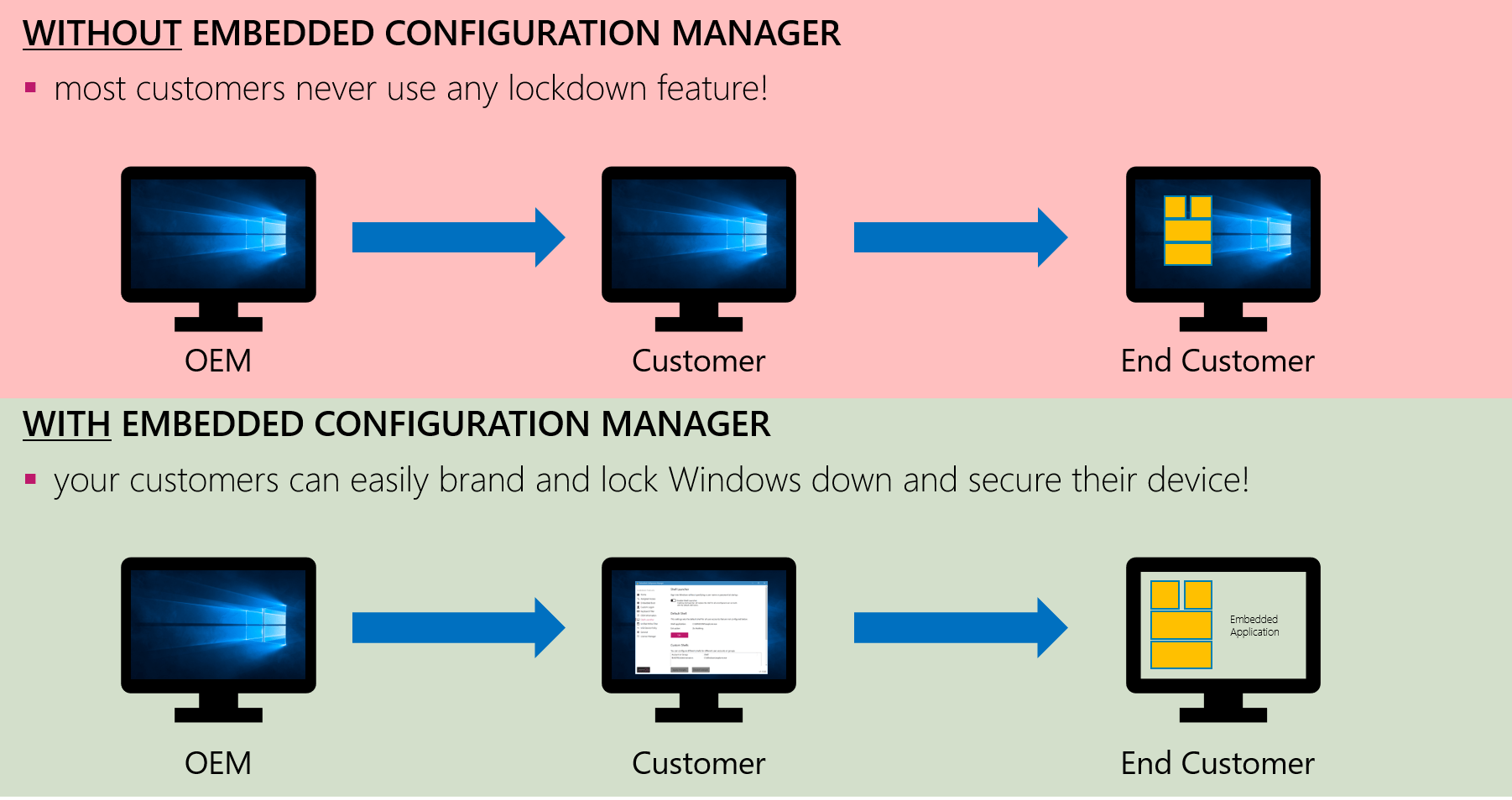
Add Value to Devices
OEMs can add additional value to their devices since customers can easily configure Windows to their needs without being an embedded expert.
Your IoT/Embedded Channel Partner & more
Configure embedded features with ease - Save time, costs and effort
Also available for your customer devices as ECM2GO version.
Windows IoT Enterprise includes many powerful embedded features to customize and lock down your system. However, configuring these features can be complex and time-consuming without the right tools.
The Embedded Configuration Manager provides a single, easy-to-use interface that brings all embedded settings together in one place. It allows you to activate or deactivate features and manage their configuration with ease — saving time, costs and effort.
The tool is primarily designed and tested for the latest Windows IoT Enterprise versions:
Older versions such as Windows Embedded 8 Standard, Windows Embedded 8.1 Industry Pro, Windows 10 IoT Enterprise 2015 LTSB, and Windows 10 IoT Enterprise 2016 LTSB may still work, but are no longer actively tested or officially supported.
How to start:
To start the Embedded Configuration Manger please insert your received USB device, open your file explorer, go to the USB device directory and start "Embedded Configuration Manager.exe".
How to use:
Please read our manual carefully before using the ECM, do not ignore our warning messages and follow the given instructions.
Feature overview and automatic updates
Learn more →Configure kiosk mode and app assignment
Learn more →Auto-logon and branding settings
Learn more →Brand boot experience and logo
Learn more →Block key combinations
Learn more →Customize system information
Learn more →Replace Windows shell
Learn more →Protect system from changes
Learn more →Control USB device access
Learn more →Updates, notifications, power
Learn more →Configuration templates
Learn more →Pre-install on customer devices
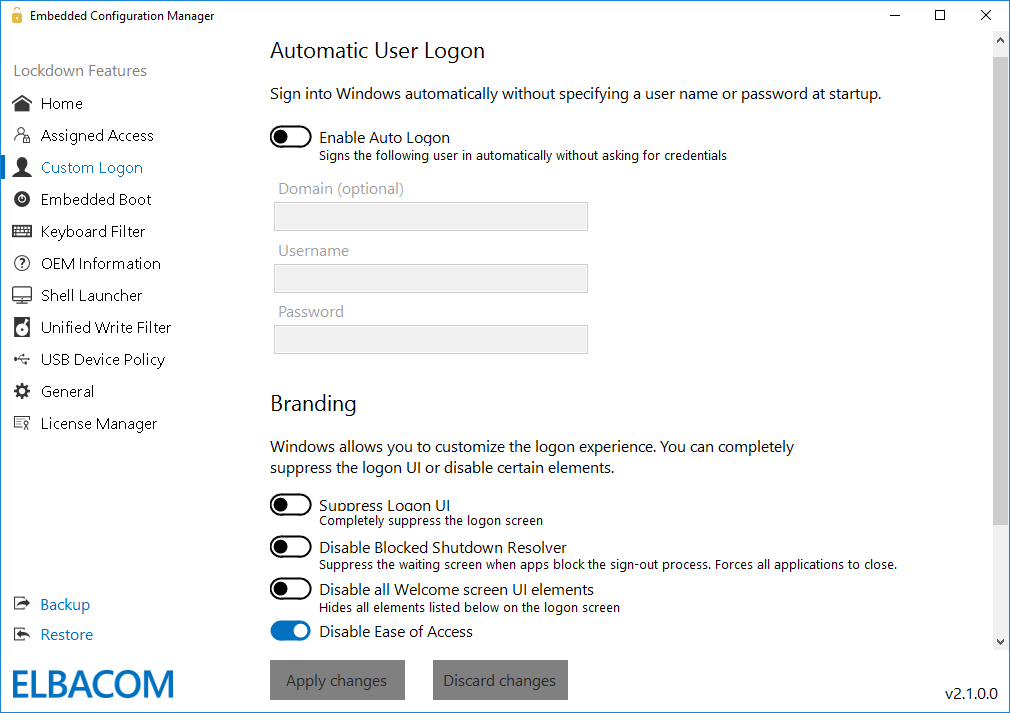
Learn more →To find out which embedded lockdown features are available for your Windows installation, just launch the Embedded Configuration Manager. On the first configuration page you will get a complete list of all available features. The tool will list all available features that can be configured on the left side.
Automatic Program Updates:
At first start-up you will be asked if you would like to enable the auto-update function to automatically receive future updates for the ECM. It is also possible to check for updates manually by pressing the "Check for updates" button.
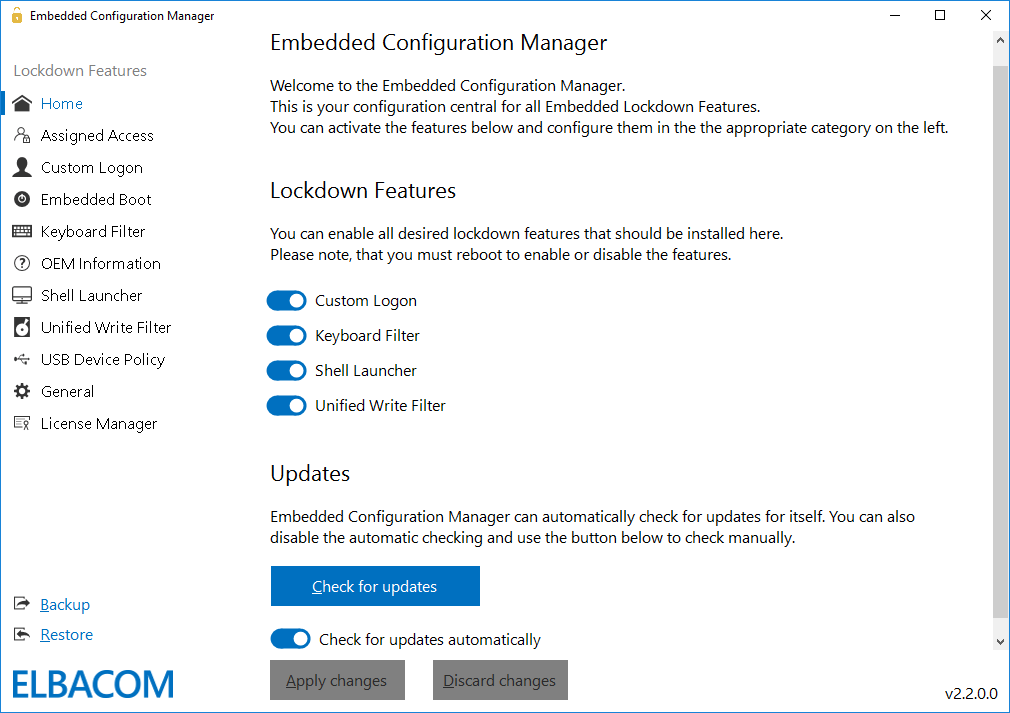
With the Assigned Access configuration you can easily select a modern Universal Windows Platform App that should be the default shell for a specific user. With the "Enable KioskMode" functionality, that is only available through the Embedded Configuration Manager on Windows 10 IoT Enterprise 2016 versions, you can also completely suppress the Windows Desktop to ensure the user cannot exit the app!
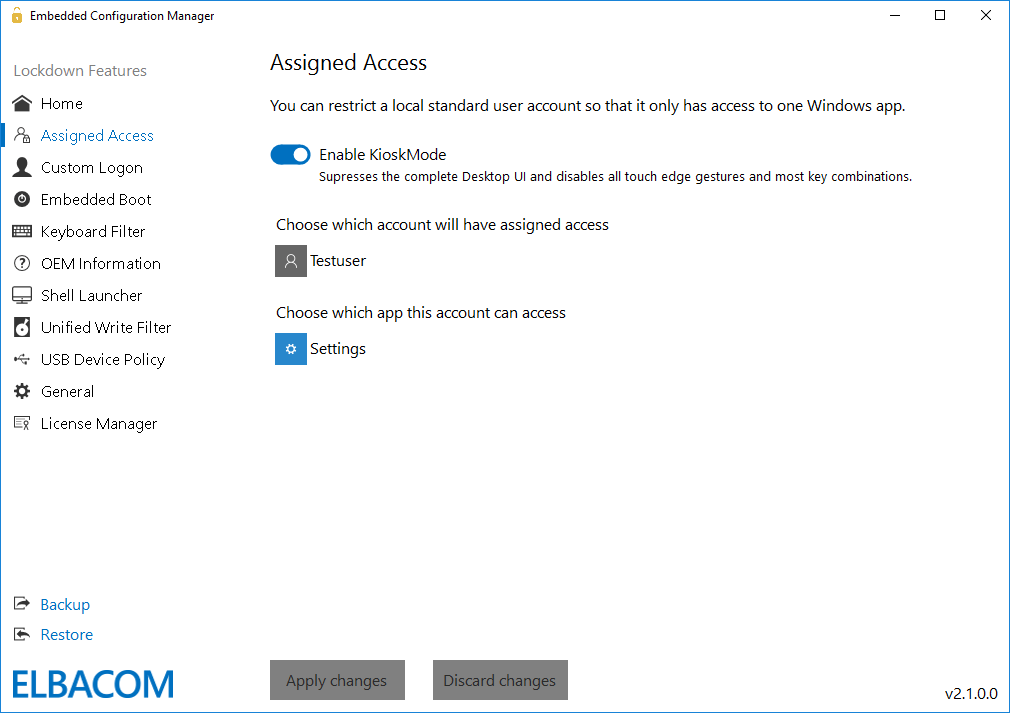
These settings allow to easily setup an automatic logon for a specific user and allows you to configure the branding settings. With the branding settings, you can easily suppress the complete Logon UI and hide certain elements, such as the power button or ease of access button from the logon screen!
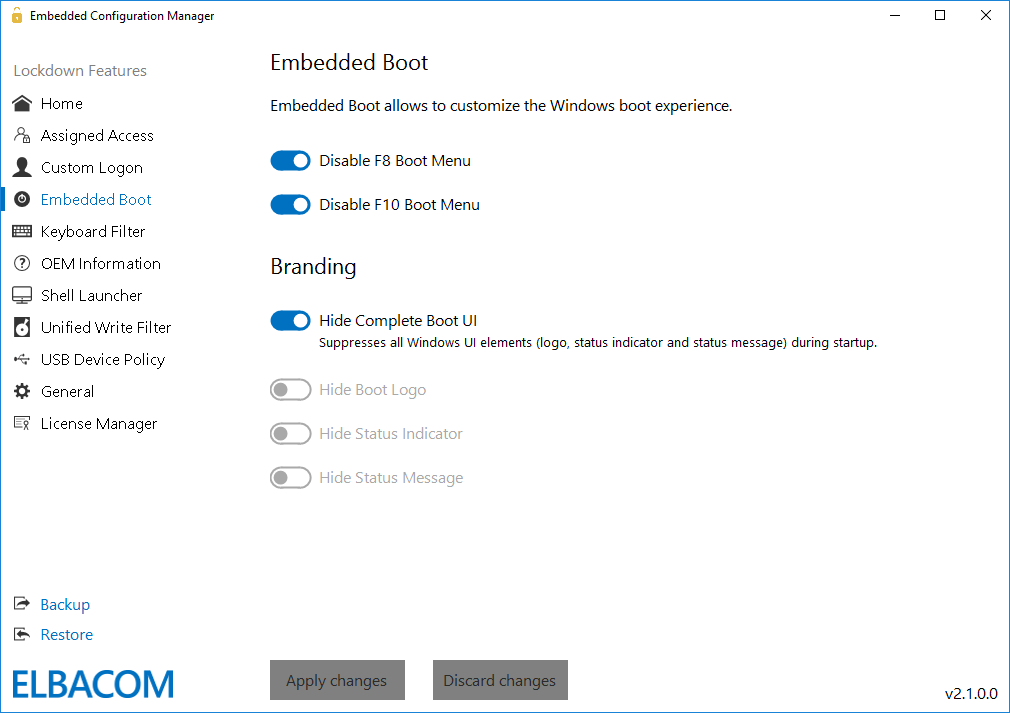
The Embedded Boot settings allow to easily brand the boot experience. You can disable the boot logo, text and status ring, or block access to the F8 and F10 boot menu. These settings are important if you want to build a completely branded device.
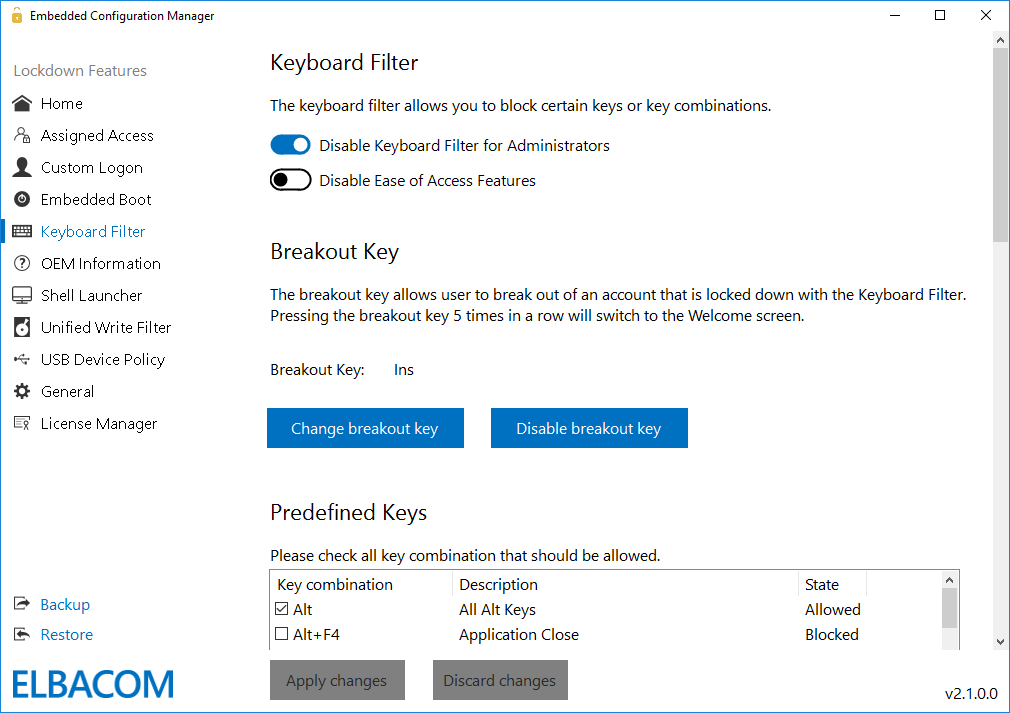
The Keyboard Filter settings allow you to simply block keys or key combinations, such as Ctrl+Alt+Del. These combinations can be selected from a wide range of pre-defined keys, or you can easily add a custom combination that should be blocked.
The keyboard filter allows to block keys based on the key ID. The keyboard filter also allows to change the breakout key or to completely disable it. The breakout key allows a user to break out of an account that is locked down. Per default the breakout key is the Windows key.
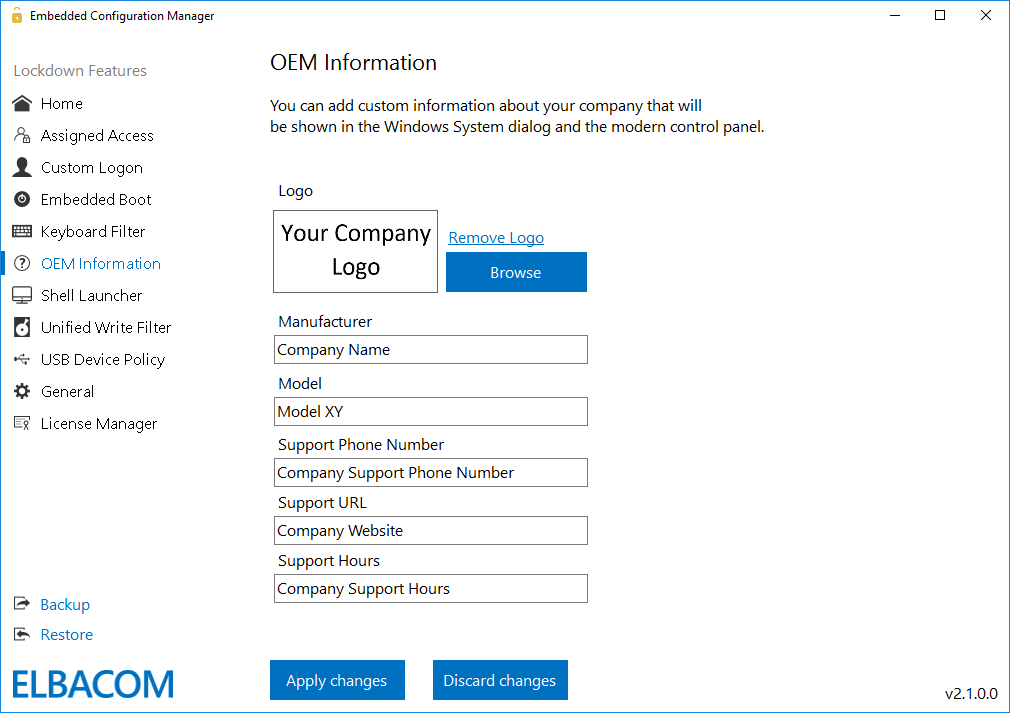
The new feature allows you to easily modify the OEM Information of your devices. This information is shown in the System properties and allows the end user to see who the manufacturer of the device is – and where to get support.
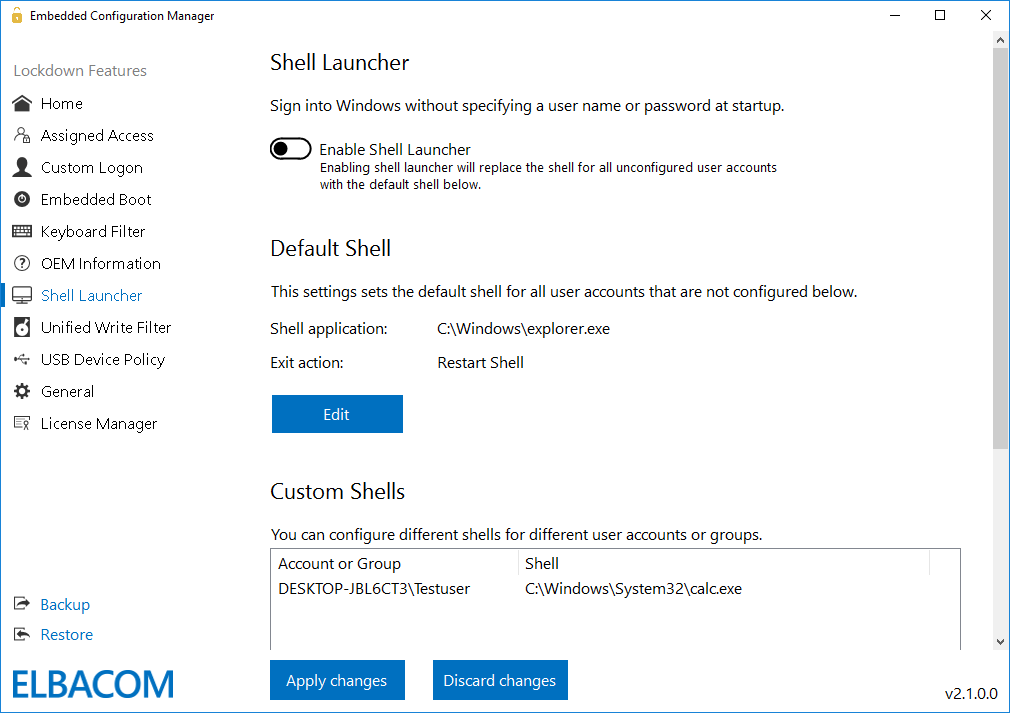
The Shell Launcher allows to setup different shells for different users or groups. With the Embedded Configuration Manager the programs that should be used as shell for a specific user can be configured very easily.
With the shell launcher you can configure a default shell for the standard users, so they can use the shell application only but cannot access anything else in the system. Administrators however, can be configured to boot into the regular Windows Explorer shell.
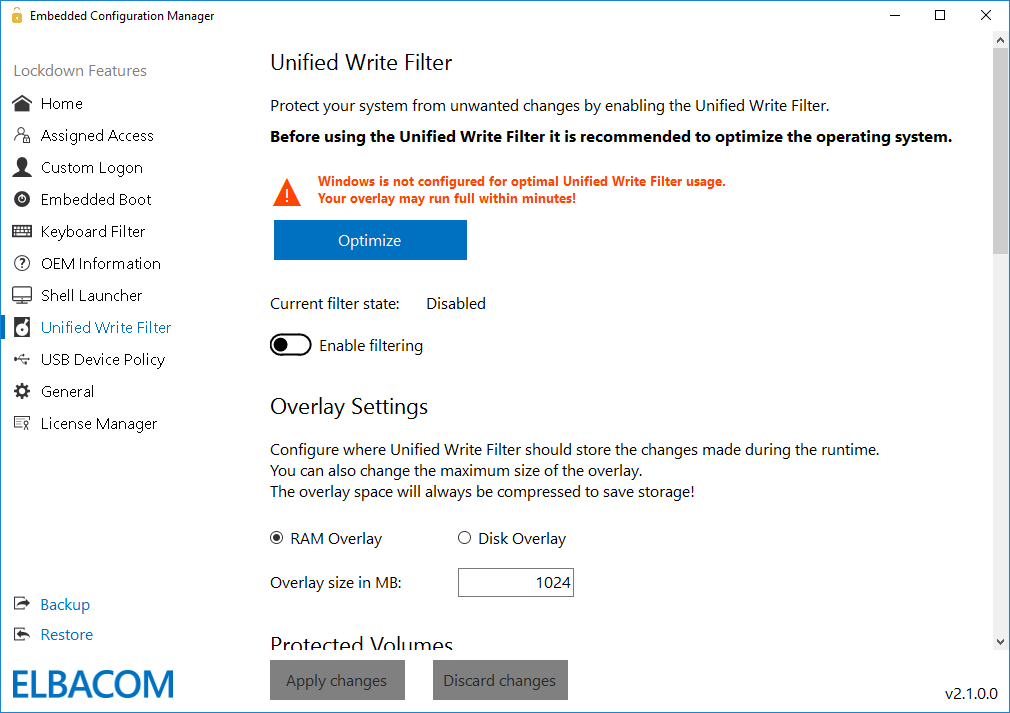
Windows 10 IoT Enterprise contains the Unified Write Filter (UWF) feature to protect the system from unwanted changes. The Embedded Configuration Manger contains a feature that will optimize your system for the Unified Write Filter usage with just one click.
This will reduce the writes of Windows itself to the overlay and allows the usage of UWF again! The tool allows to configure the overlay settings, such as size and type.
NOTE: Enabling or changing settings of the Unified Write Filter requires a reboot!
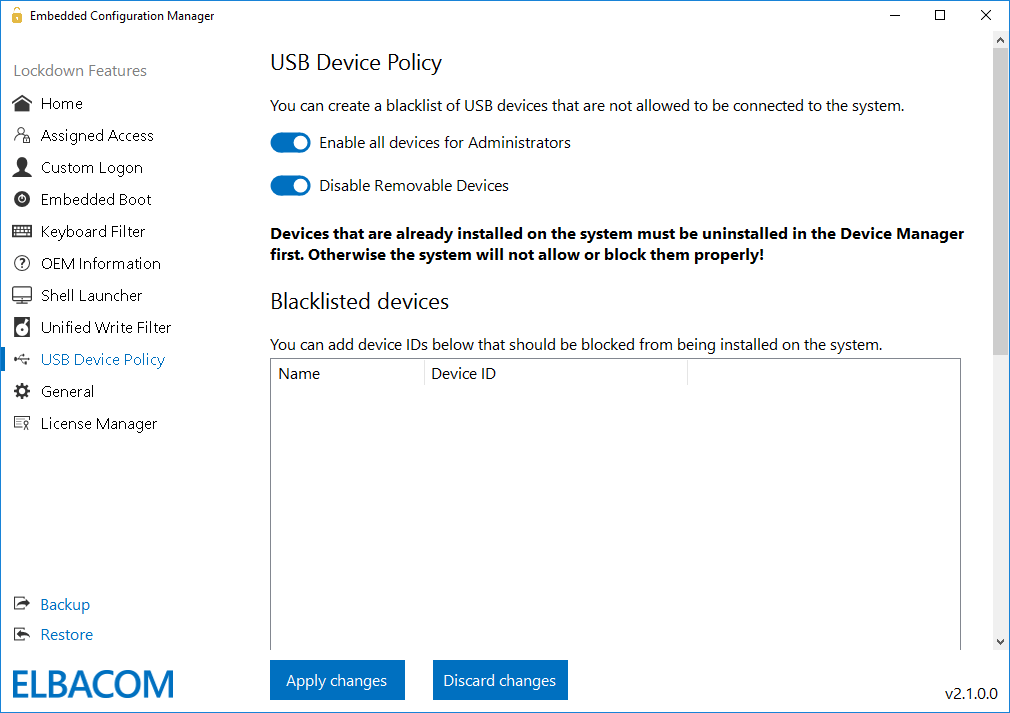
The USB Device Policy allows you to create blacklists of devices that are not allowed to be connected to the system. Simply select a currently connected device and add it to the blacklist. The filtering can be done based on the device ID or device classes.
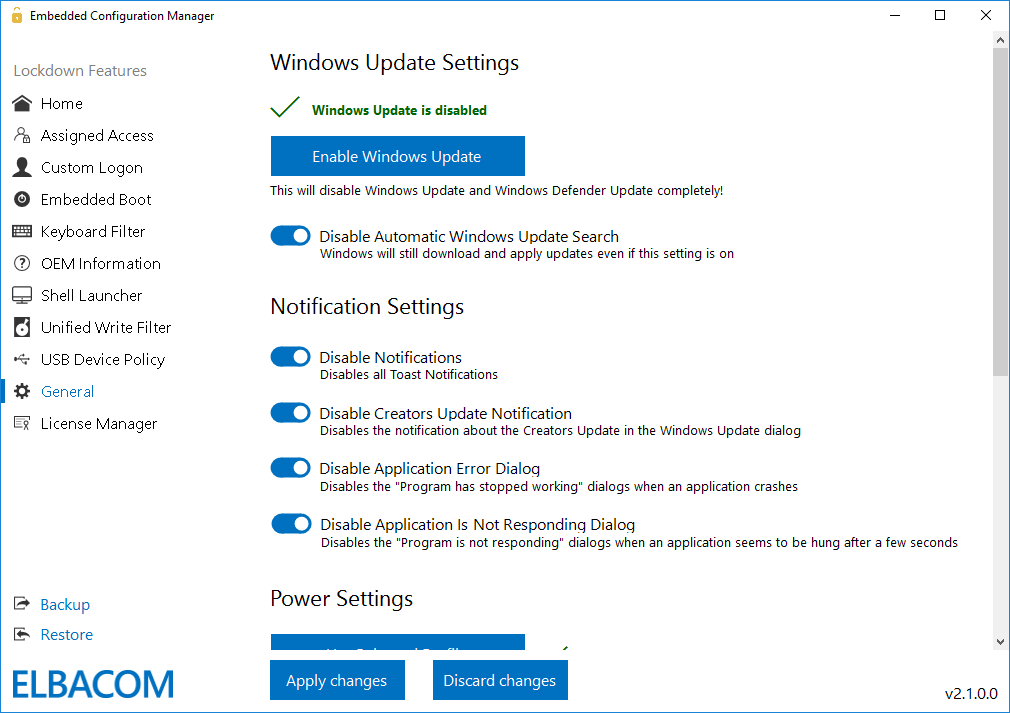
Windows Updates: The Embedded Configuration Manger includes a single click solution to disable Windows Updates and Windows Defender updates completely. With this feature you have full control to manage the updates on your system again.
Notifications: With a simple click, the tool can disable toast notifications within Windows, Application Error Dialogs and "Application is not responding" dialogs.
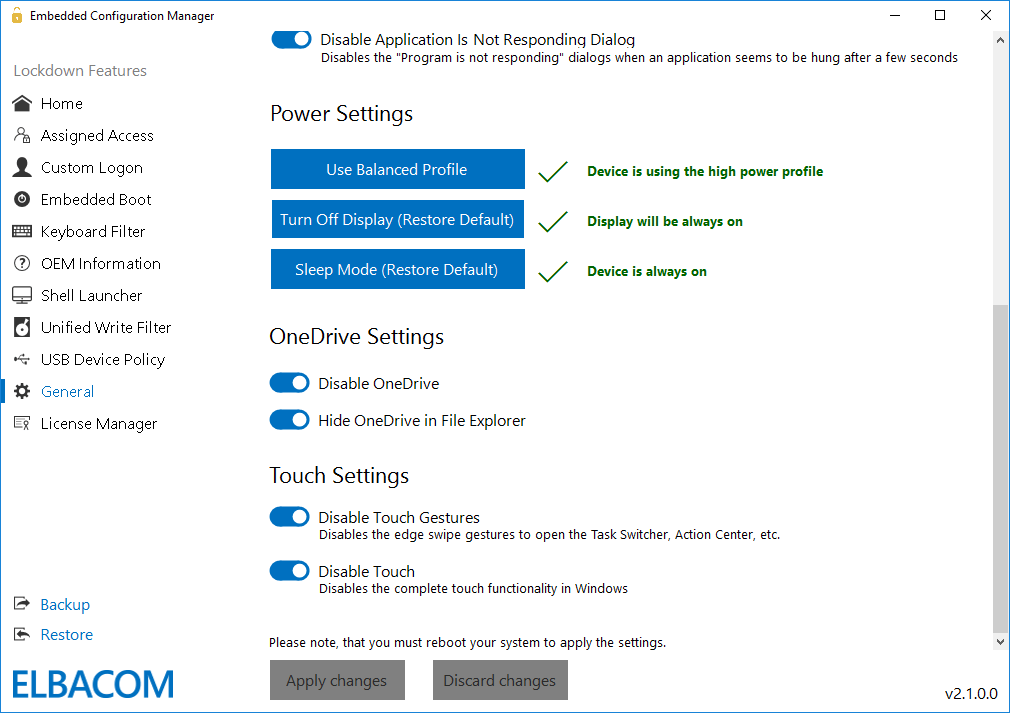
Power Settings: In the power settings, you can change the power profile to "high performance" and configure display and sleep settings.
OneDrive: The tool allows you to easily turn off OneDrive.
Touch Gestures: The tool allows you to disable touch gestures.
You can export all settings now into an XML file. This allows you to create several configuration templates that can easily be imported to other machines.
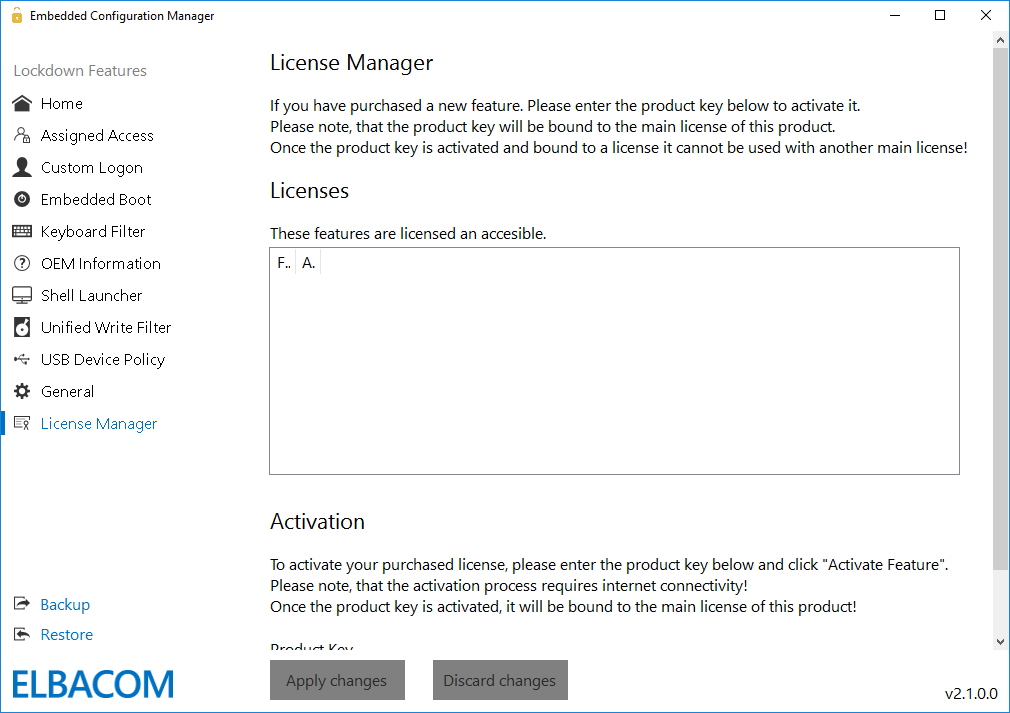
OEMs can add additional value to their devices since customers can easily configure Windows to their needs without being an embedded expert.
Devices in the field can be serviced easily with ECM2Go already installed and ready to be used.
Devices can be serviced via Team Viewer or similar solutions with ECM2Go installed and licensed.
Add additional value to your devices and ship them together with Embedded Configuration Manager preinstalled.
It is now possible to preinstall Embedded Configuration Manager, so your customers can then easily configure the Lockdown Features and make use of them without needing to be an embedded expert!
Main scenarios:
If you are interested in preinstalling, please contact us for more details!