Your IoT/Embedded Channel Partner & more
zSA - zereOS Smart Activation
Activate Windows devices that should never touch the internet
Why zereOS Smart Activation?
Smart Activation enables you to easily activate Windows devices that should never touch the internet. The activation process is quick, secure, and doesn't require direct internet connectivity from the target device.
How It Works
The activation process is completed in just three simple steps, taking less than a minute to fully activate your Windows installation. Then you have 2 possibilities: 1) scan the confirmation code back with a QR scanner that is attached to your device, or 2) type in the confirmation code manually. Windows is activated within less than a minute!
Step-by-Step Activation
Step 1: Generate Installation ID
Your Windows system generates an Installation ID displayed as a QR code.
Step 1: Display QR Code
The Installation ID QR code is shown on screen for scanning.
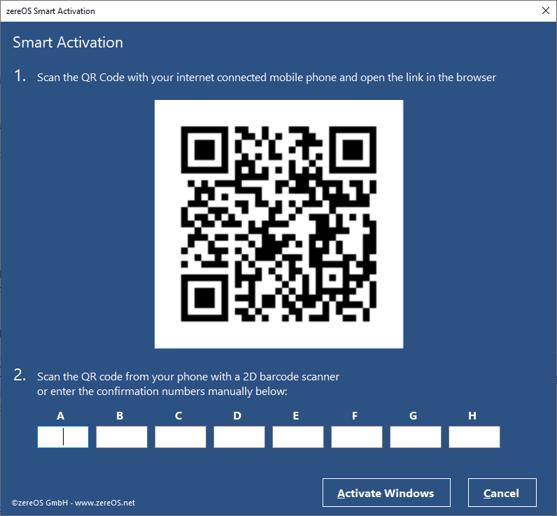
Step 2: Scan and Get Code
Scan the QR code with a device that has internet access to get the confirmation code.

Step 2: Confirmation Code
The zSA system generates a Confirmation Code for activation.
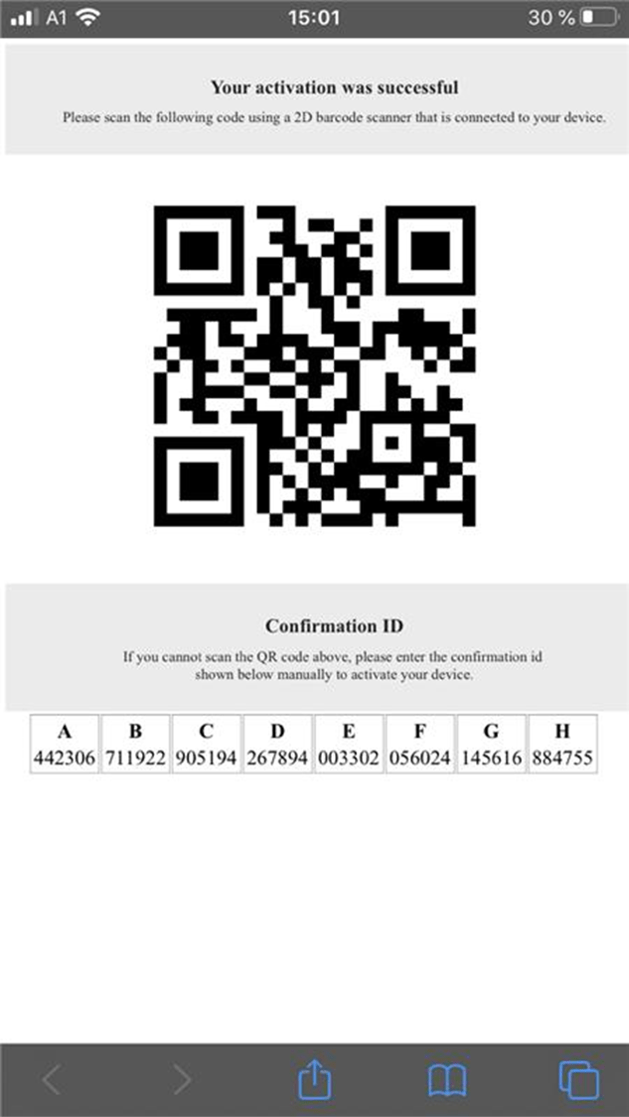
Step 3: Scan Back or Type
Scan the confirmation code back or type it manually.
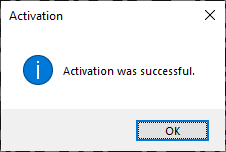
Step 3: Activated!
Windows is now activated - all within less than a minute!

Benefits
Perfect for air-gapped systems, secure environments, and production lines where devices cannot have internet access. The QR code method makes the process fast and error-free, while the manual option provides flexibility when QR scanners aren't available.
