Your IoT/Embedded Channel Partner & more
Microsoft Customer License Agreement
Find CLA information here - everything you need to know about the OEM CLA process and digital signing.
CLA Overview
The OEM CLA is the agreement that an OEM Customer must sign in order to license MS Products through the distribution channel. This is the primary agreement between Microsoft and the OEM Customer.
Key Facts
-
Free Agreement
A Microsoft Customer License Agreement is for free
-
Required for Distribution
A CLA is the agreement that an OEM Customer must sign in order to license MS Products through the distribution channel
-
Must Be Active
An active CLA must be in place prior to distributing an Embedded System with an Image installed that includes an MS Product
-
General Terms
The OEM CLA includes the general terms and conditions that govern the licensing of MS Products
-
Umbrella Agreement
CLA is an umbrella agreement – no commitment to product, volume or price is required
Download: eCLA Reference Guide
How to sign the new digital CLA
Step-by-step guide
Request a new CLA
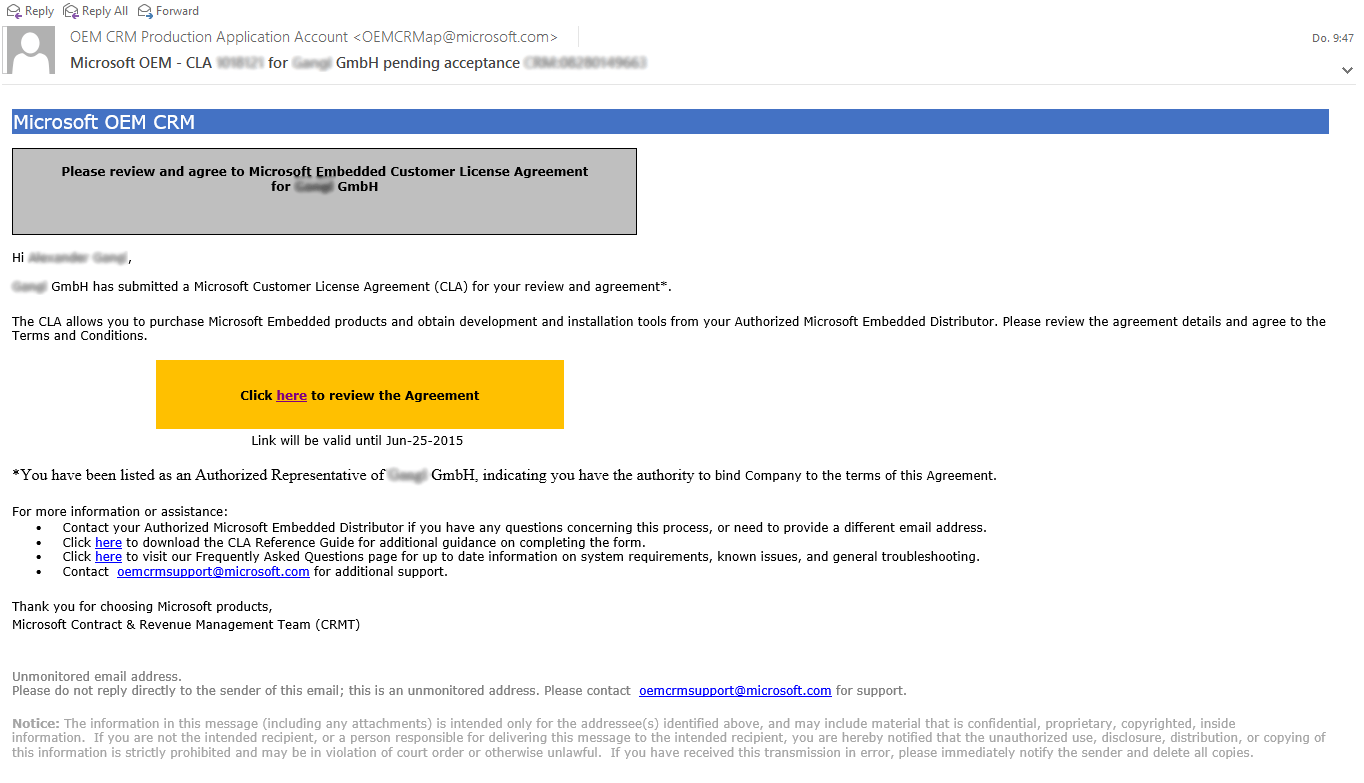
Please call or email us if you need a new CLA. We create a new CLA in the Microsoft system and fill it with data which is available to us. Then you get the email shown below sent directly from Microsoft.
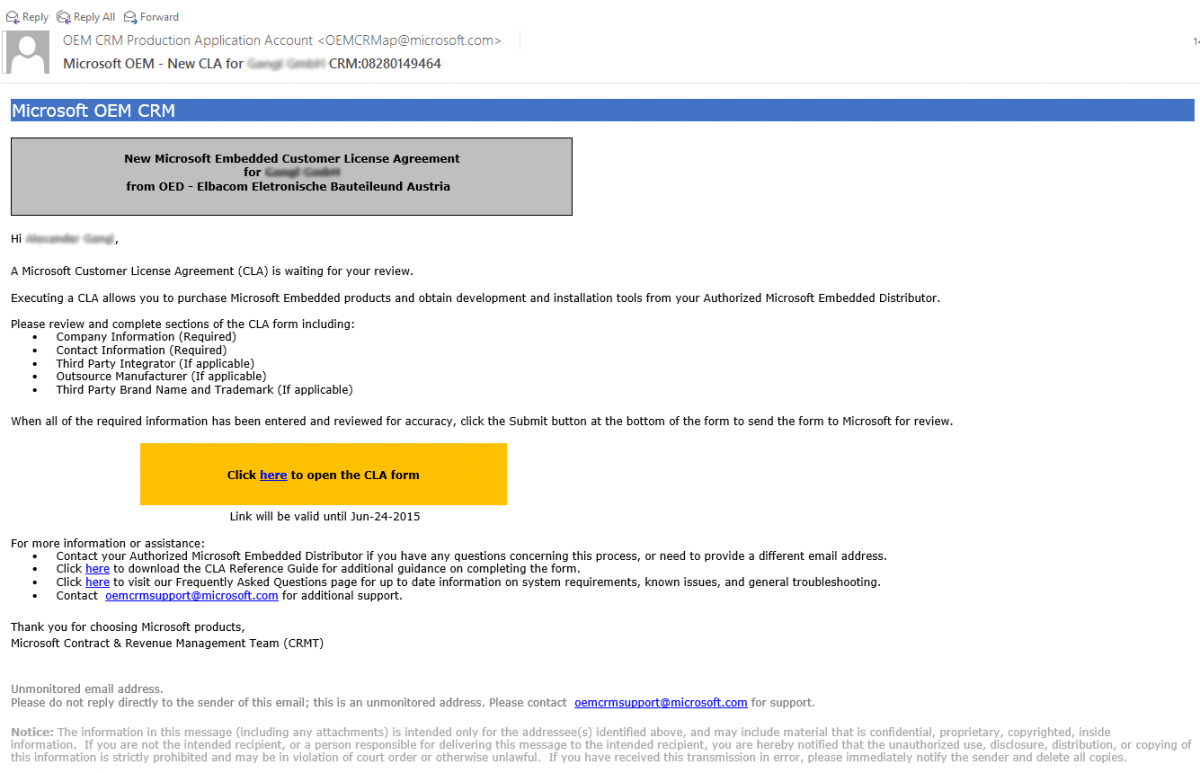
Click the link and fill in your data
Please click on "click here". Then fill in all your data and click on "Save".
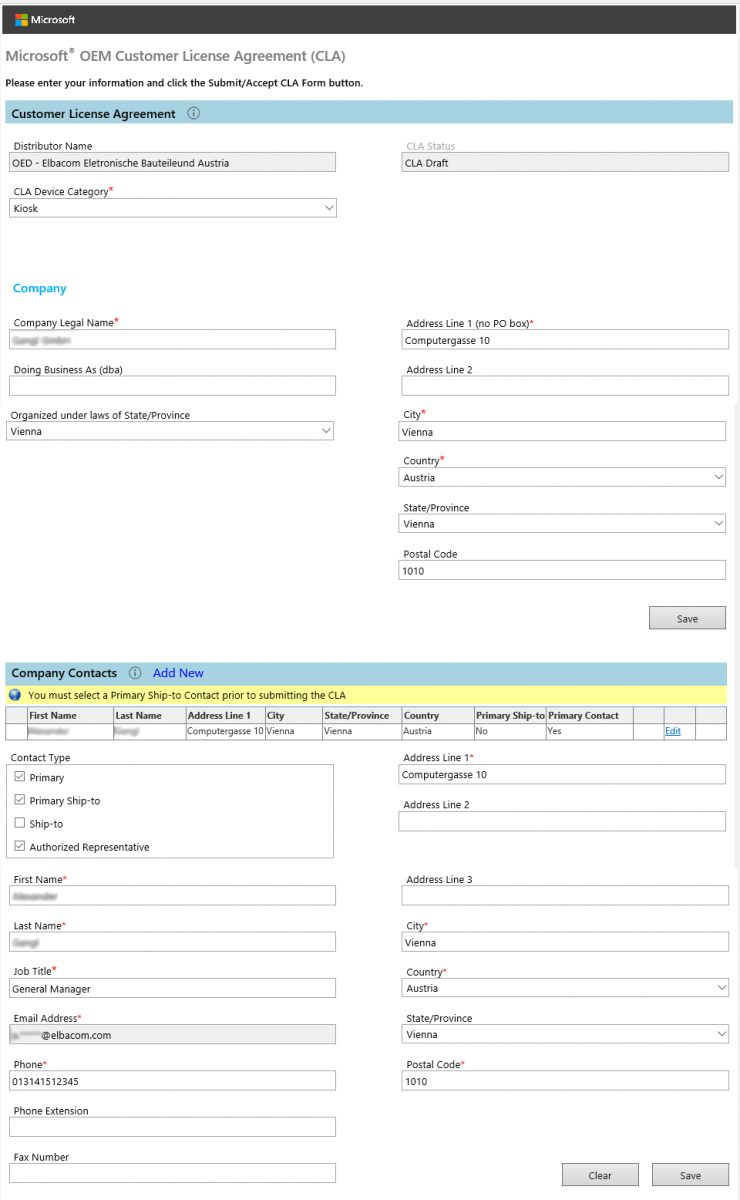
Review your information
Now it should look like this. Verify all information is correct.
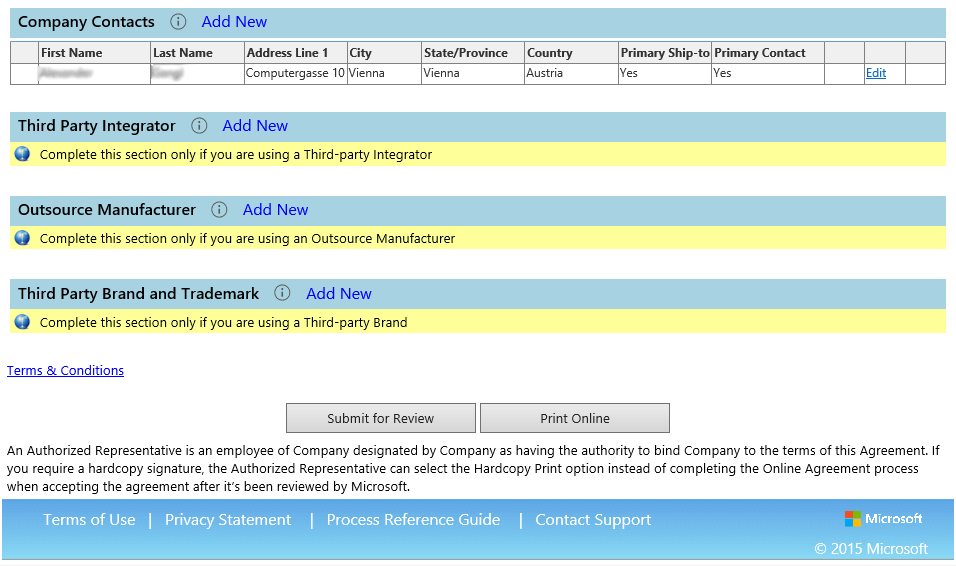
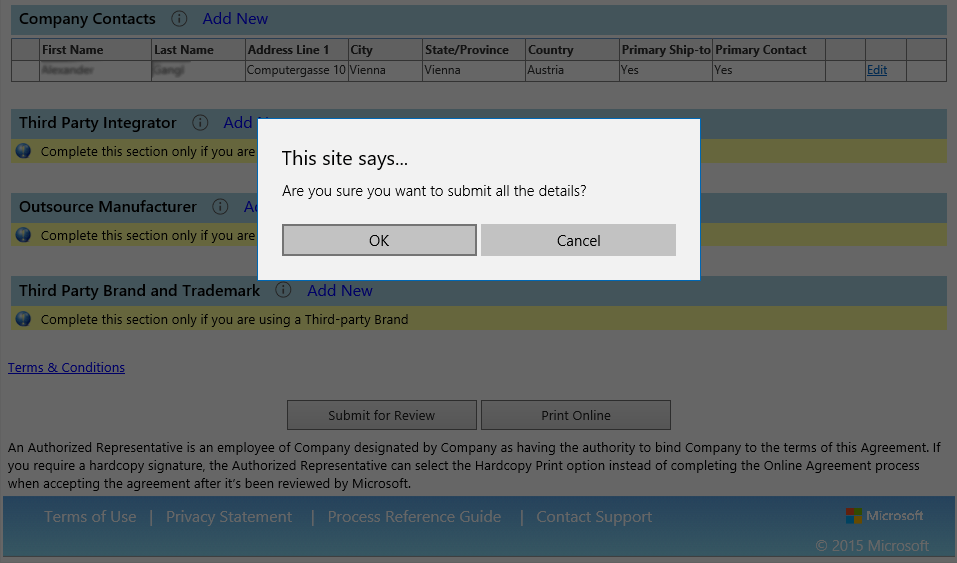
Submit for review
After this click "Submit for Review" and confirm the following query with "OK".
Wait for confirmation
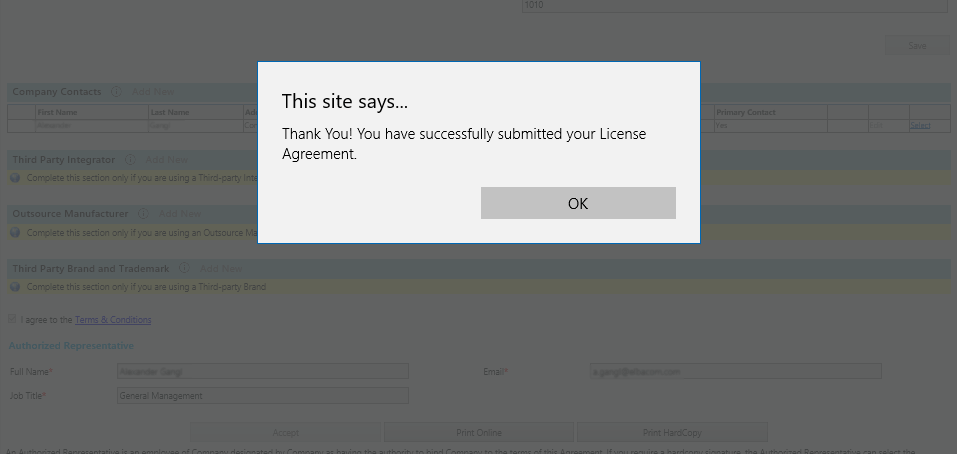
After this you will get the following message: "Thank You! You have successfully submitted your License Agreement." Now you should get an email from Microsoft within 2 days. This email contains: a link to review your CLA and a few more links and contacts for additional information.
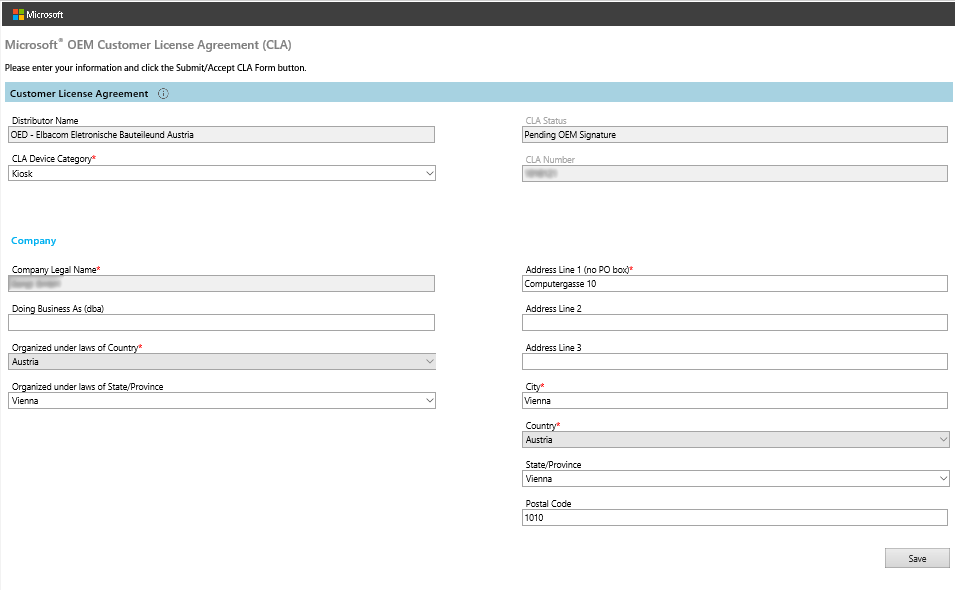
Review and complete data
Please click on "click here". Then check the prefilled data on the following page and correct or complete it if necessary. When you are done click on "Save".
Enter personal data
Now enter your personal data and please don't forget to agree to the Terms and Conditions.
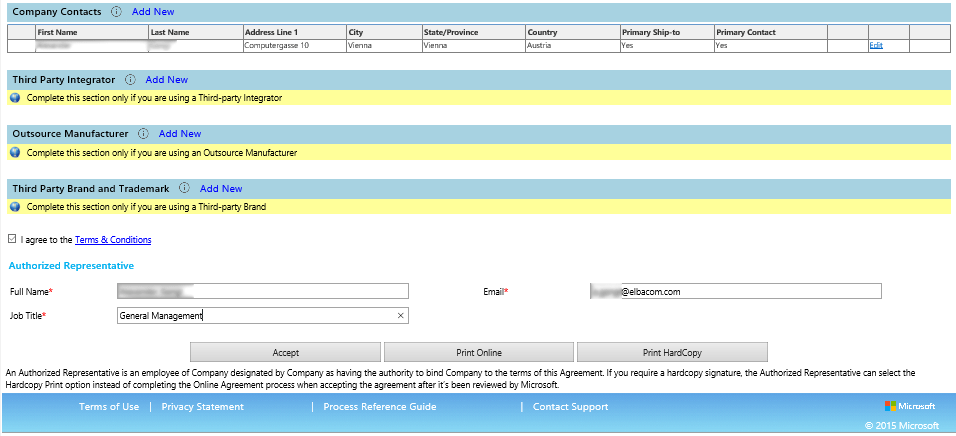
Accept and complete
Finally click on "Accept" and confirm the security check. The process is now completed successfully.